Catch Auto Store
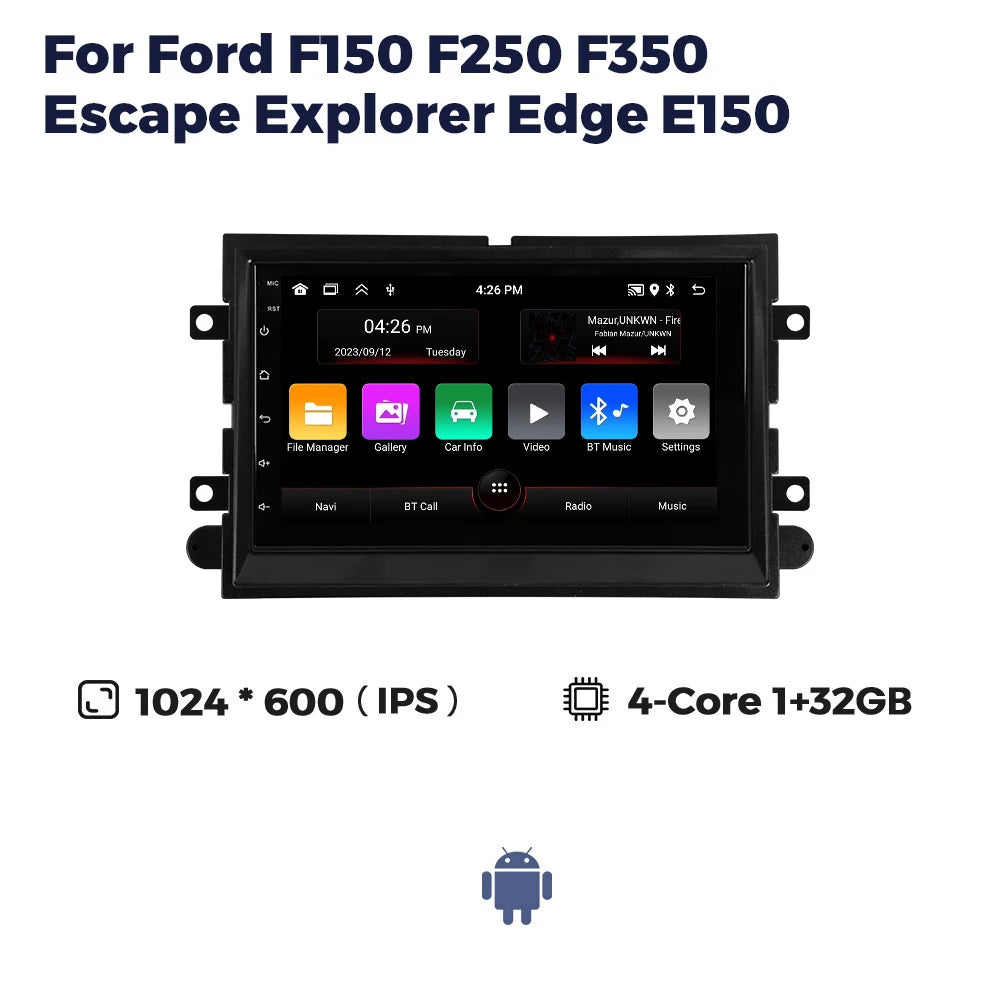
7inch GPS Screen Car Radio For Ford F150 F250 F350 Escape Explorer Edge E150 Mustang Multimedia Player Carplay Auto Smart System
7inch GPS Screen Car Radio For Ford F150 F250 F350 Escape Explorer Edge E150 Mustang Multimedia Player Carplay Auto Smart System
MADE TO ORDER • ESTIMATED DELIVERY 4–6 WEEKS
Couldn't load pickup availability
NZ-BASED SUPPORT • SECURE CHECKOUT • FITMENT HELP AVAILABLE
SPECIFICATIONS
Android Auto: only 2+64G built in
Brand Name: NAVIFANS
Built-in CD player: no
Built-in DVD Player: no
Built-in Screen: Yes
Certification: CE
Choice: yes
Digital Media Format: Mp3,MP4,WMA,JPEG
Din: Double Din
Display Size: 7"
For Vehicle Brands/Model: ford
GPS navigation: support
High-concerned chemical: None
Interface: USB
Is touch screen: Yes
Item Size: 7inch
Item Weight: 1.5
Material: Good
Max External Memory: 64G
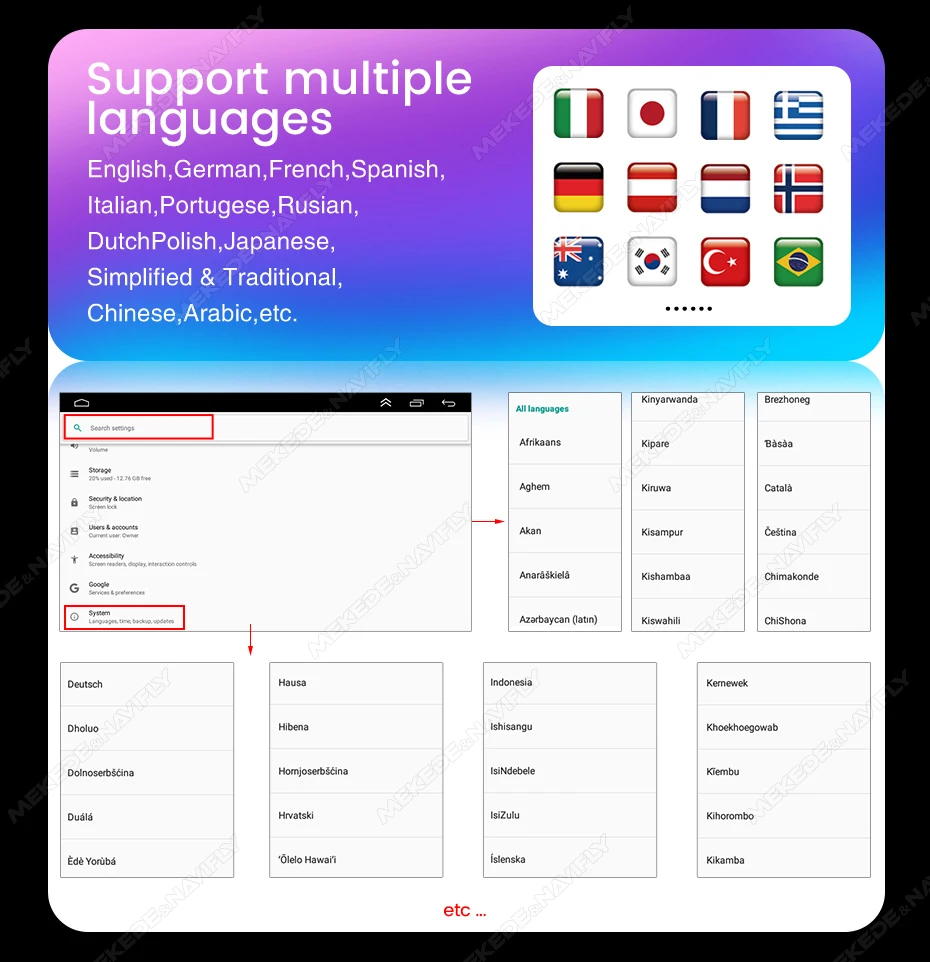
OSD Language: Chinese (Simplified),Chinese (Traditional),Arabic,German,Russian,French,Korean,Dutch,czech,Portuguese,Japanese,Slovenian,Hebrew,Spanish,Italian,English
Operating System: Android
Origin: Mainland China
Out Power: 4*45
Output Type: Colored
RAM: 2 G
RDS: built in
ROM: 64G
Resolution: 1024*600
Screen: IPS
Special Features: Built-In Speaker/Microphone,wifi function,Support steering wheel control,Support Can-Bus,Built-in GPS,Charger,Mobile Phone,MP3 players
TF/Micro SD Slot: 0
Voltage: 12 V
Warranty: 1 year
bluetooth: built in
steering wheel control: support
wireless Carplay: only 2+64G built in
>>7inch GPS Screen Car Radio For Ford F150 F250 F350 Escape Explorer Edge E150 Mustang Multimedia Player Carplay Auto Smart System
>> Why choose Navifans?

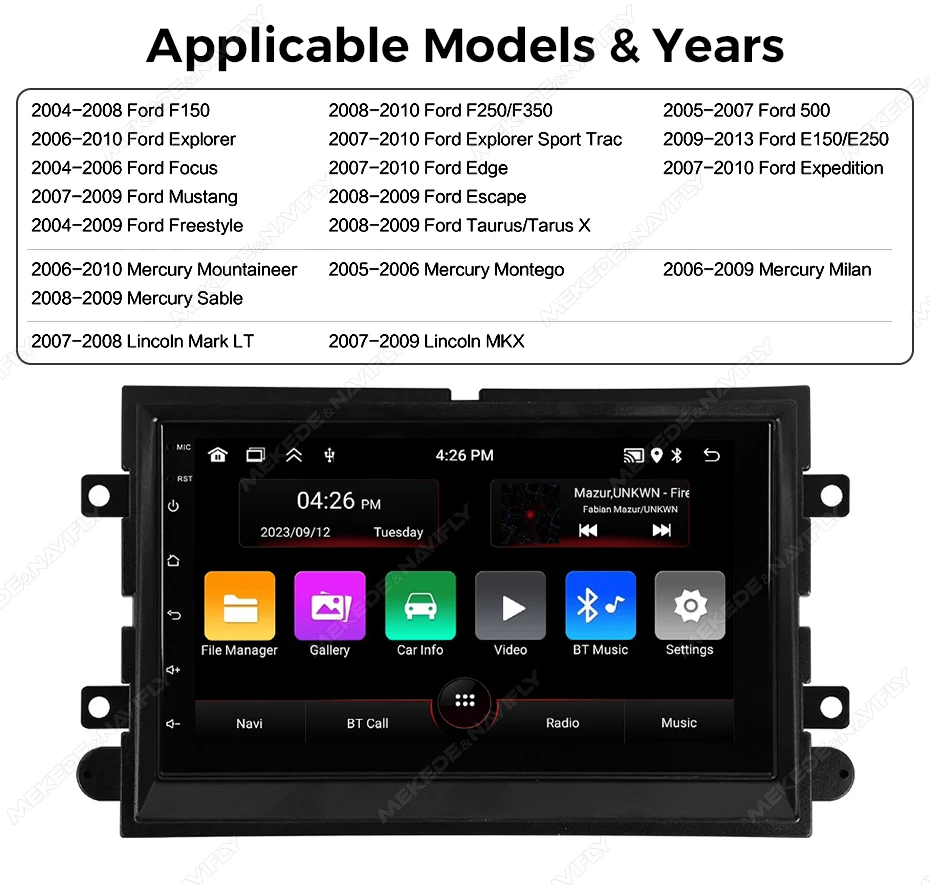
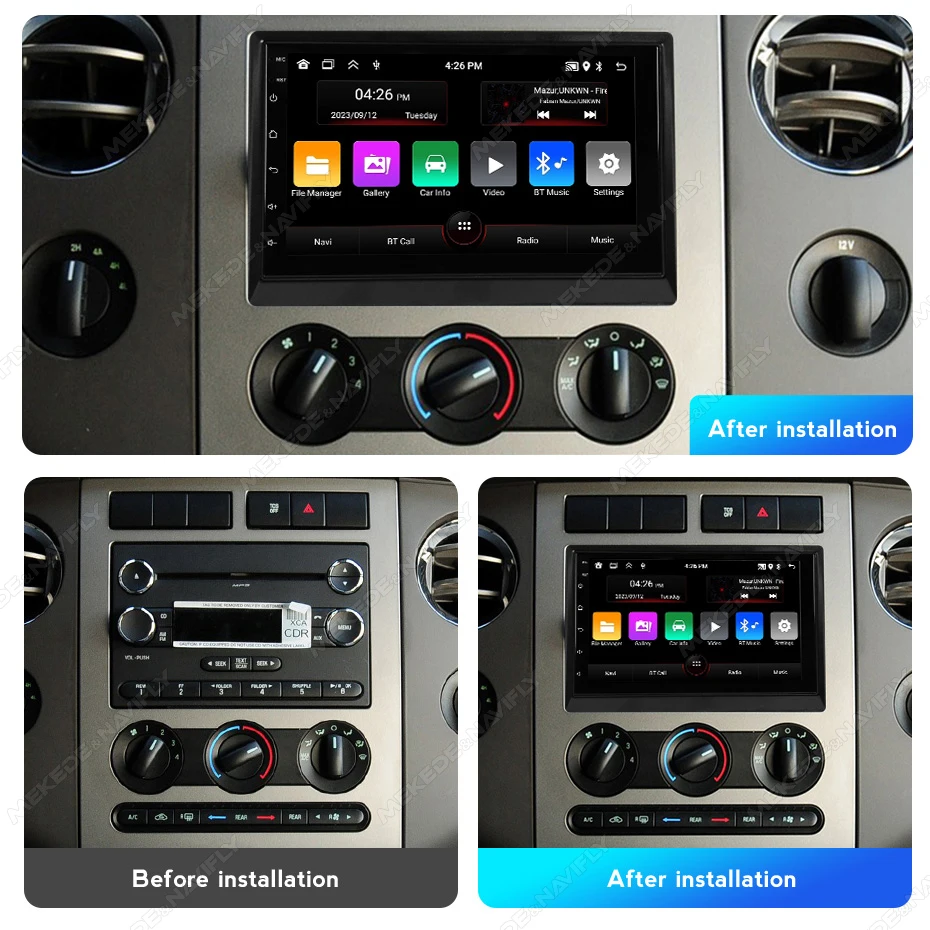
This unit will fit the following car model
2004-2008 Ford F150 2008- 2010 Ford F250/F350 2005- 2007 Ford 500
2006- -2010 Ford Explorer 2007- -2010 Ford Explorer Sport Trac 2009- 2013 Ford E150/E250
2004- -2006 Ford Focus 2007- -2010 Ford Edge 2007- 2010 Ford Expedition
2007-2009 Ford Mustang 2008- 2009 Ford Escape
2004- -2009 Ford Freestyle 2008- 2009 Ford Taurus/Tarus X
2006- 2010 Mercury Mountaineer 2005- -2006 Mercury Montego
2006- 2009 Mercury Milan 2008- -2009 Mercury Sable 2007-2008 Lincoln Mark LT
2007- 2009 Lincoln MKX
(if your car is other years, please send the original car frame picture to us for confirmation)
(1). Open the settings and find the factory settings option in the settings.
(2). Enter the factory settings, the password set by the factory is 1234.
(3). Find the protocol settings (Car Settings) in the engineering settings options.
(4).If your car is Opel car,please choose Luzheng-Ford select your corresponding model.
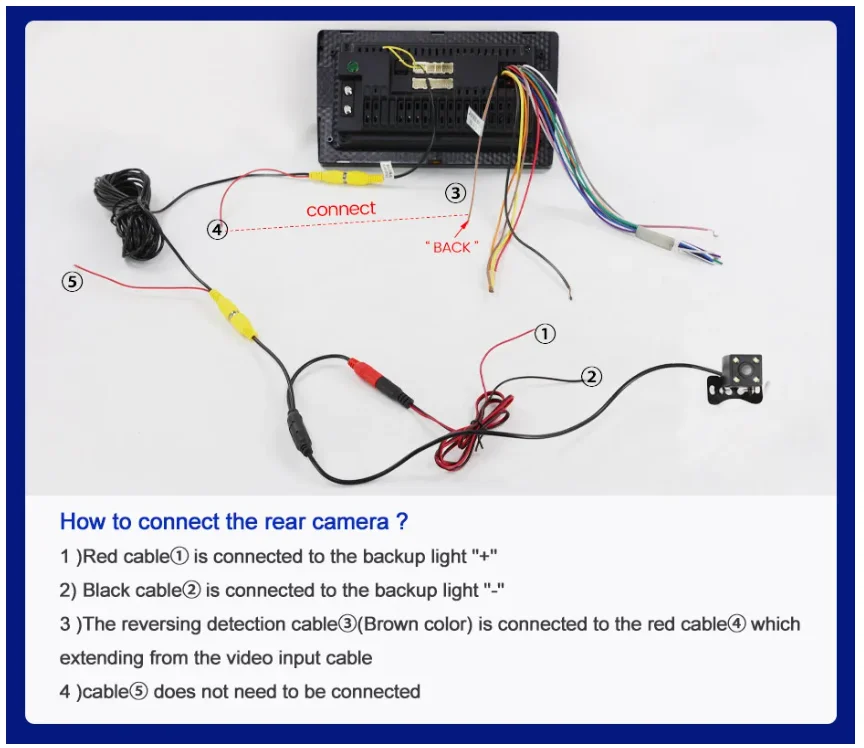
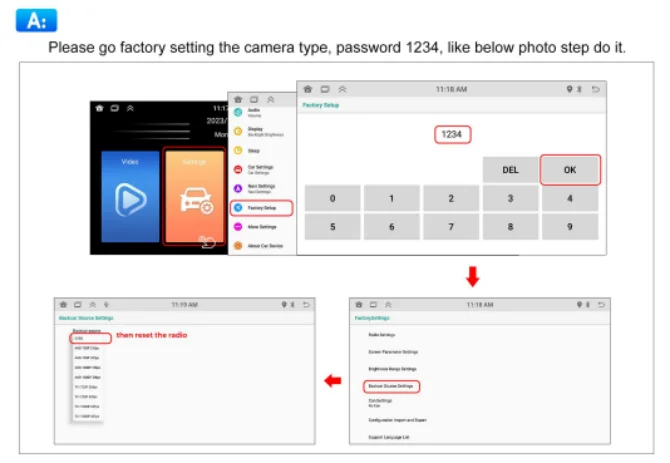
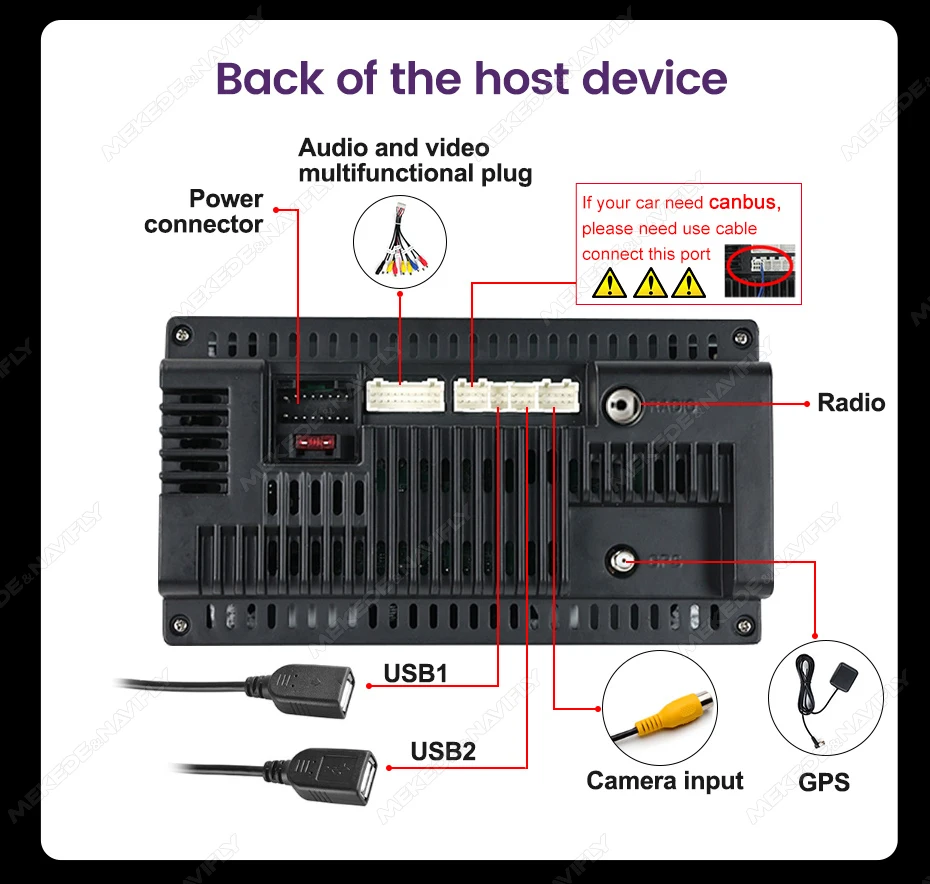
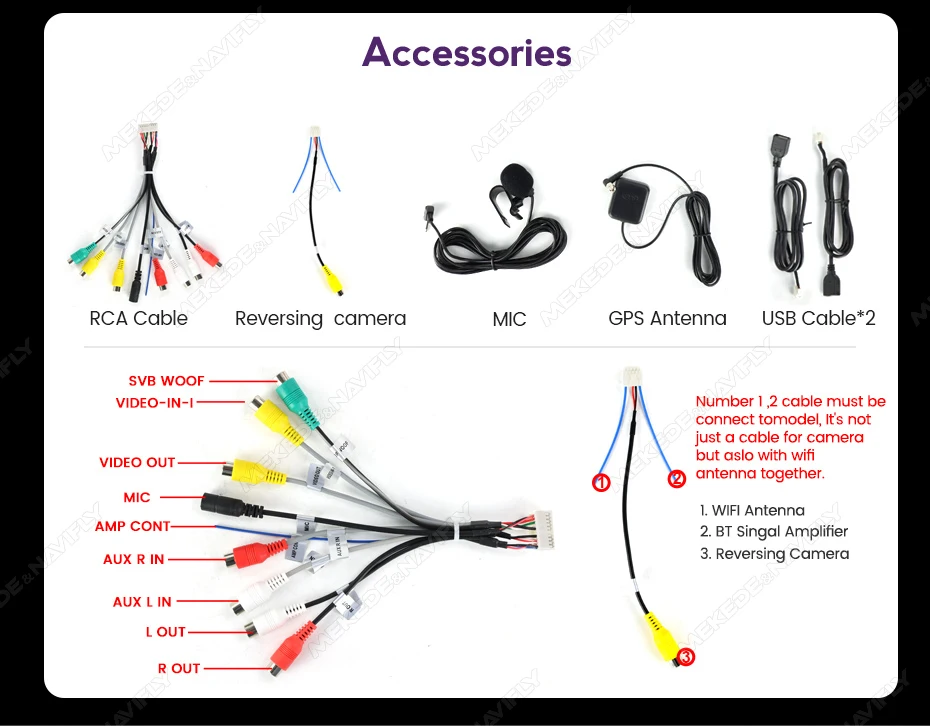
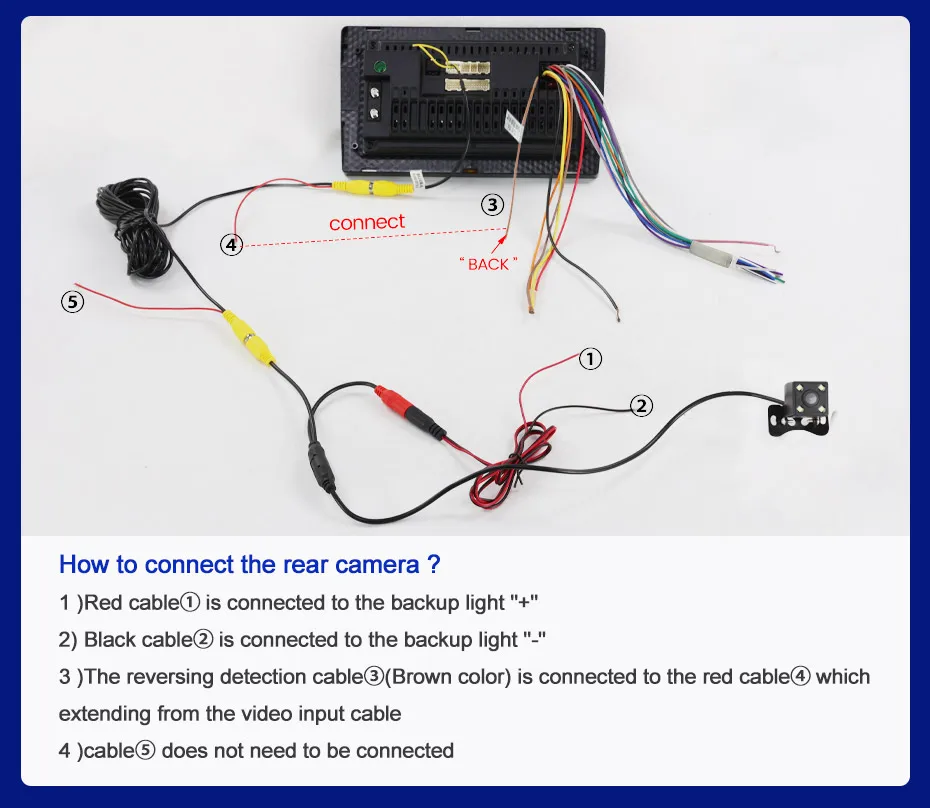
2. Correct connection method for the rear camera. If there is no signal when the rear camera is connected correctly and the screen cannot be displayed normally, please follow the instructions below (factory password is 1234, select the correct resolution in the factory settings to work normally)
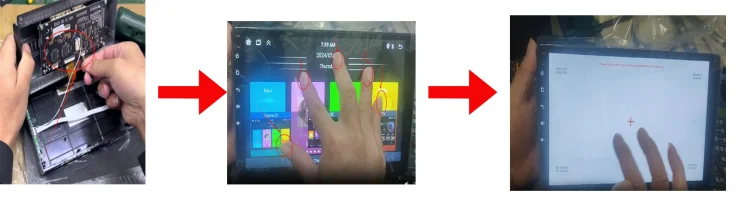
3. When receiving the product, the screen cannot be touched or has abnormal touch. Please open the cover on the back of our screen and check if the internal wiring has been bumped or detached during transportation. Reinstall the cable and turn on the machine. Use five fingers to press the screen for 5 seconds. After 5 seconds, the touch calibration mode will pop up. Click on the instructions one by one to complete the calibration, and it will work normally after calibration.
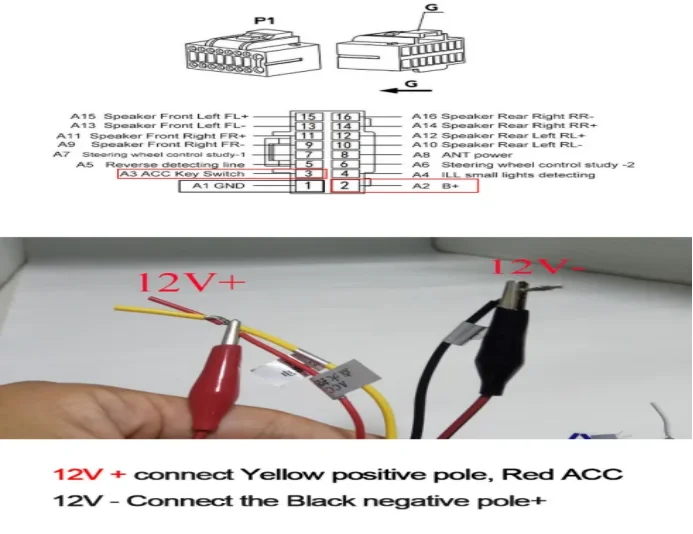
4.When receiving the product, it does not turn on. Please check the voltage. Our product can be turned on normally by connecting a voltage of 7V-12V. Please connect the black cable to the negative pole -12V, and connect the red and yellow cables together to the positive pole+12V
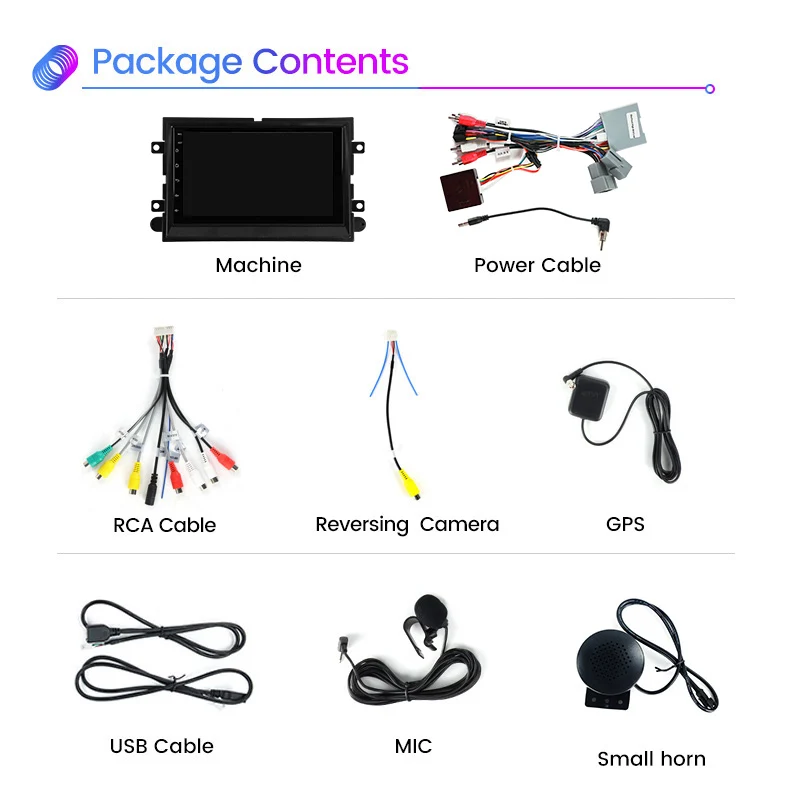
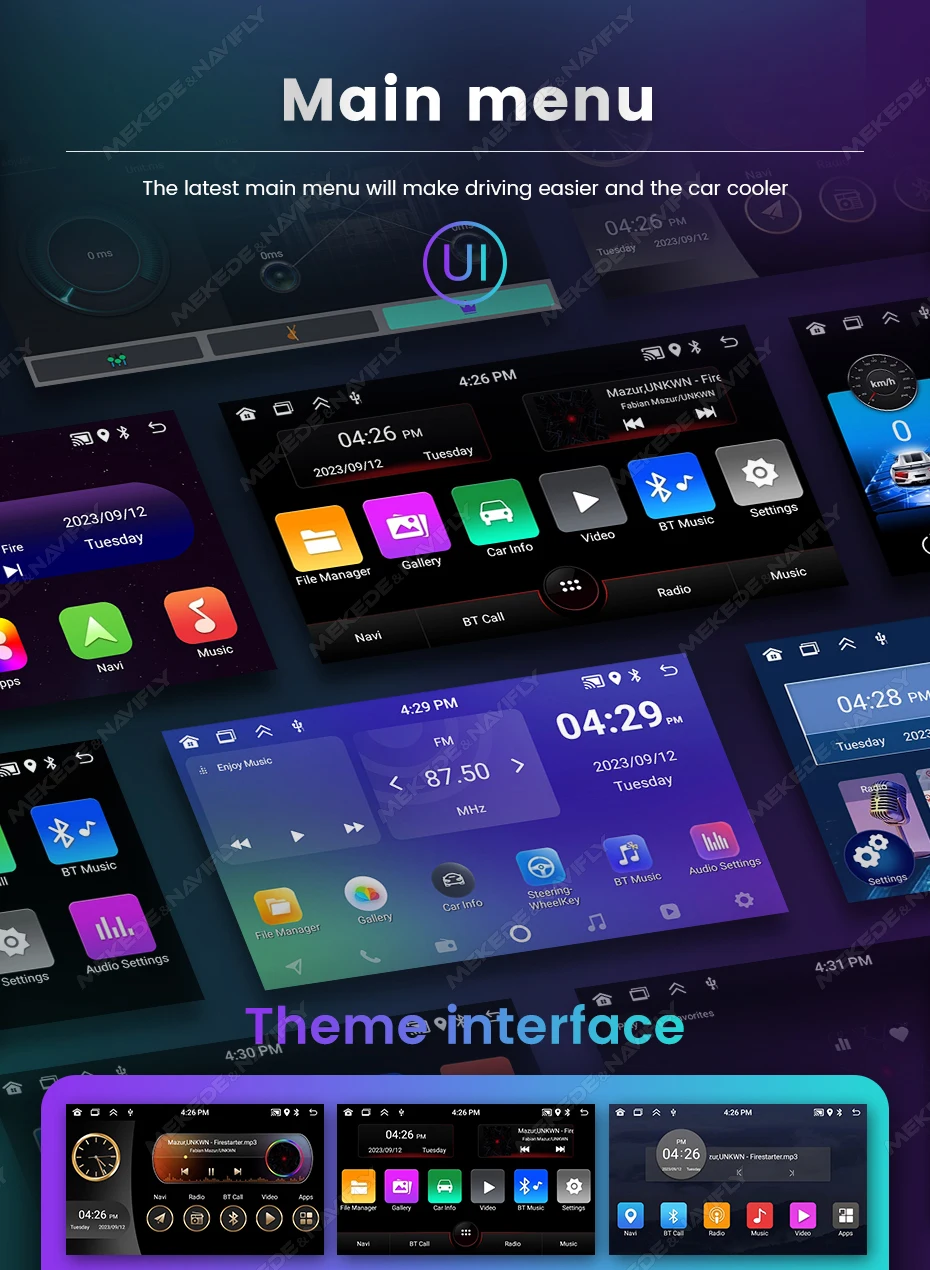
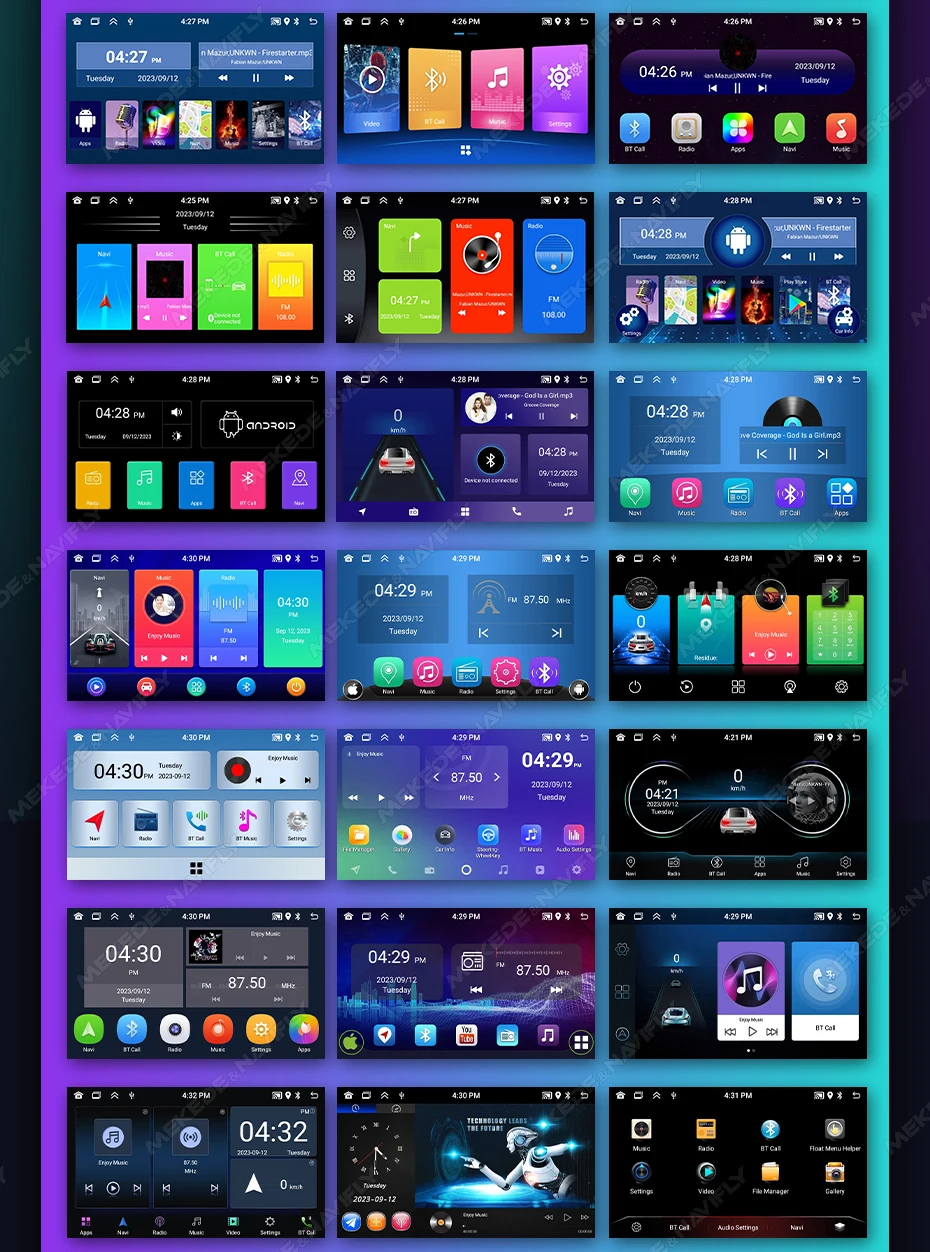
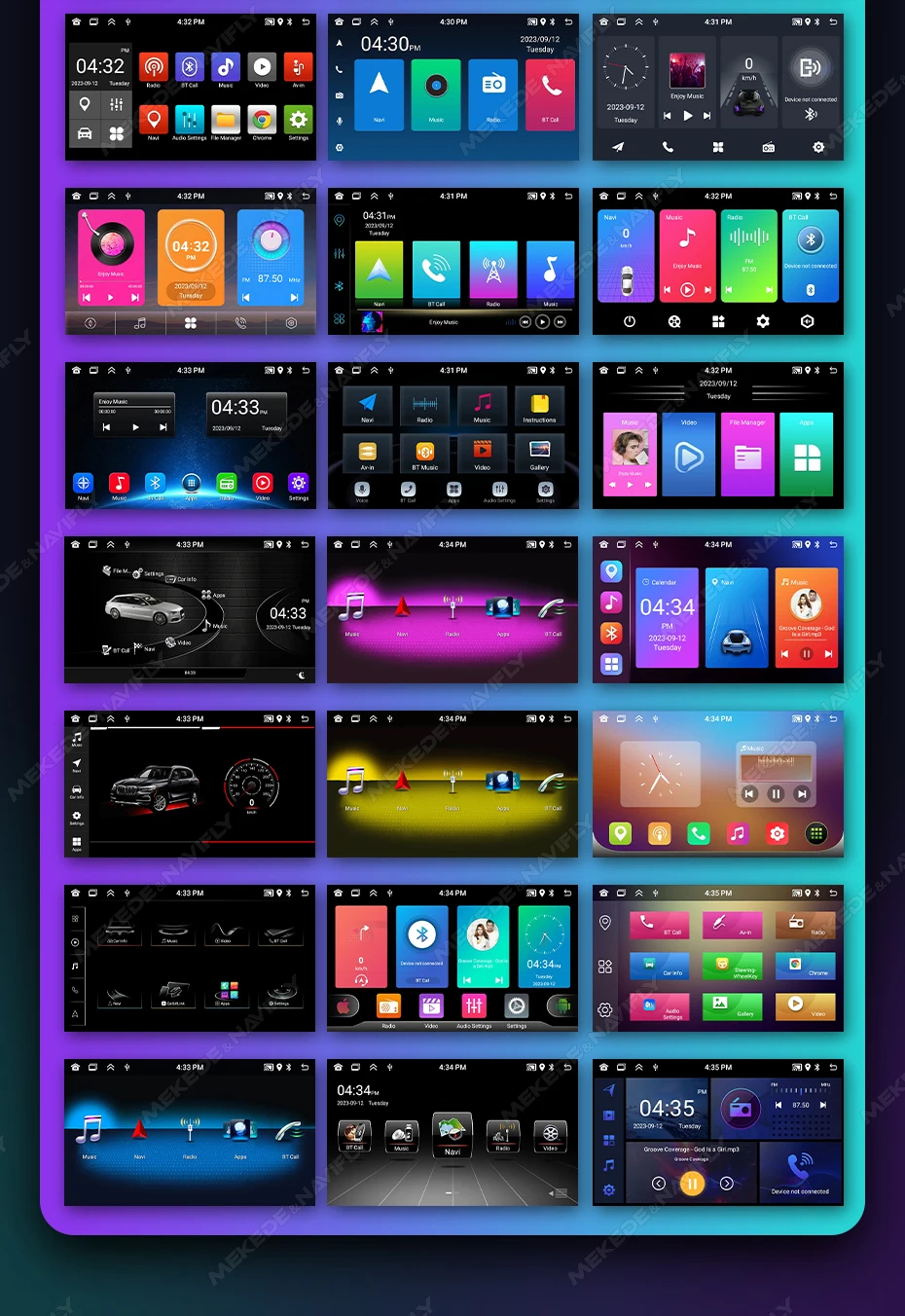
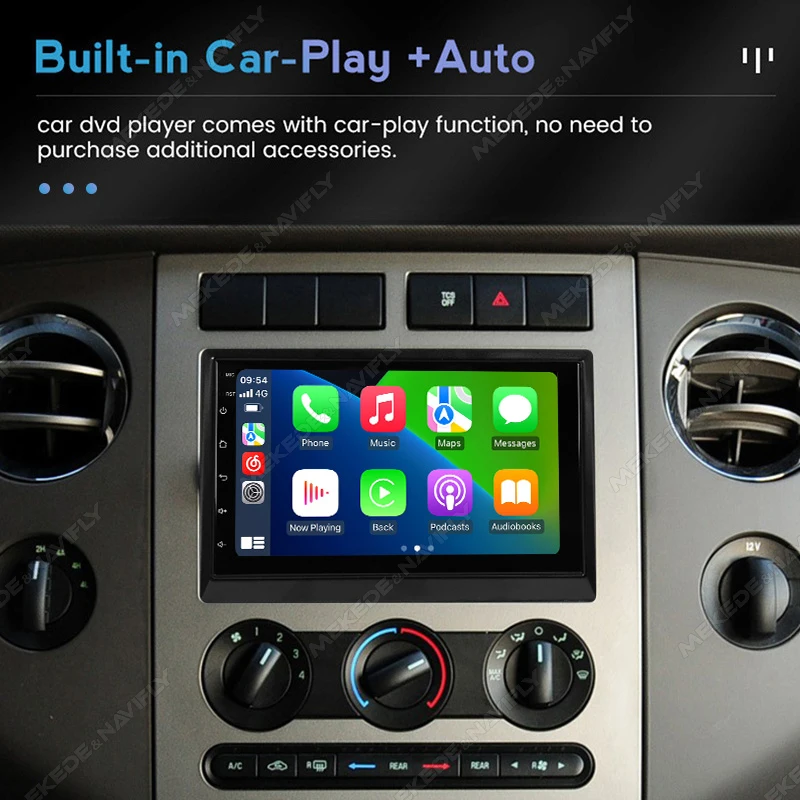
2+32G built in carplay and android auto
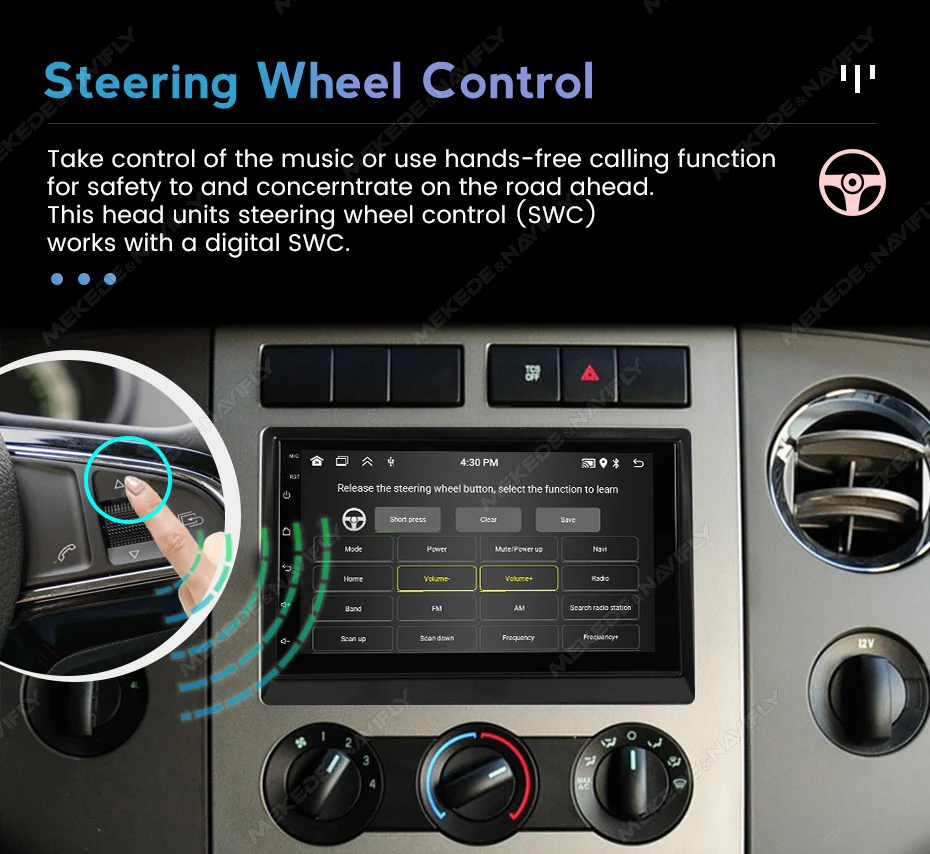
support steering wheel control
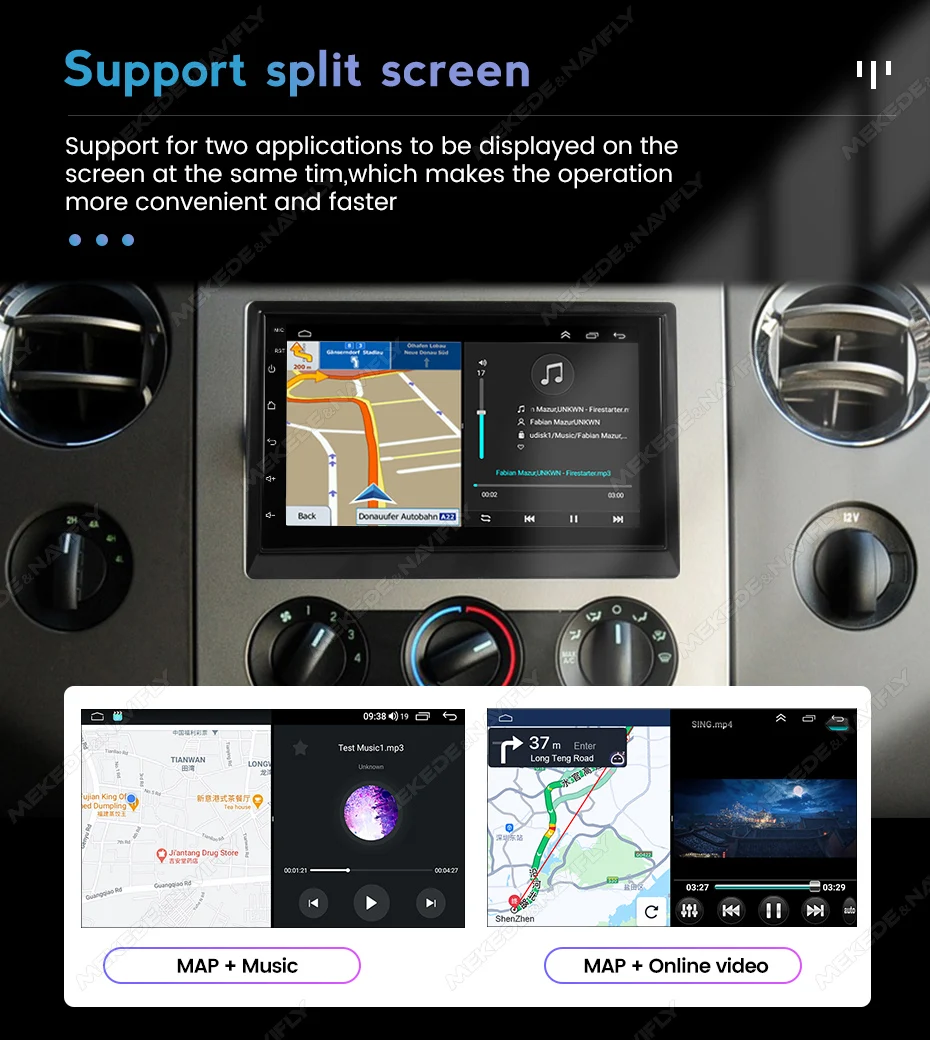
support split screen
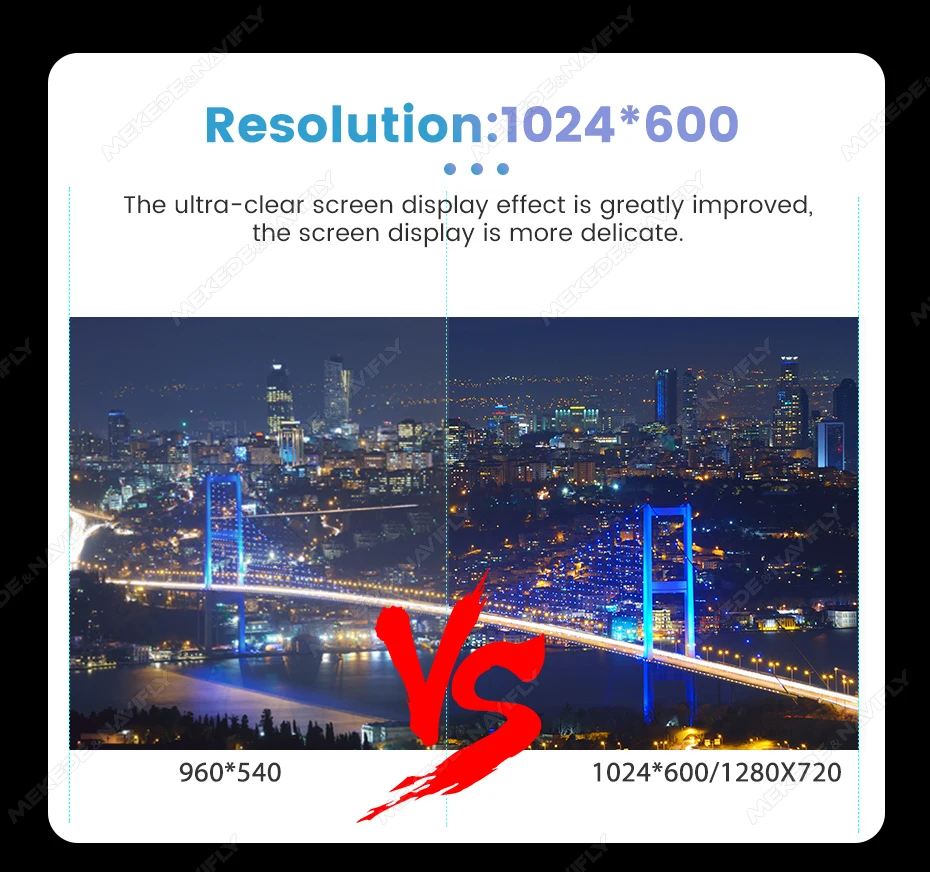
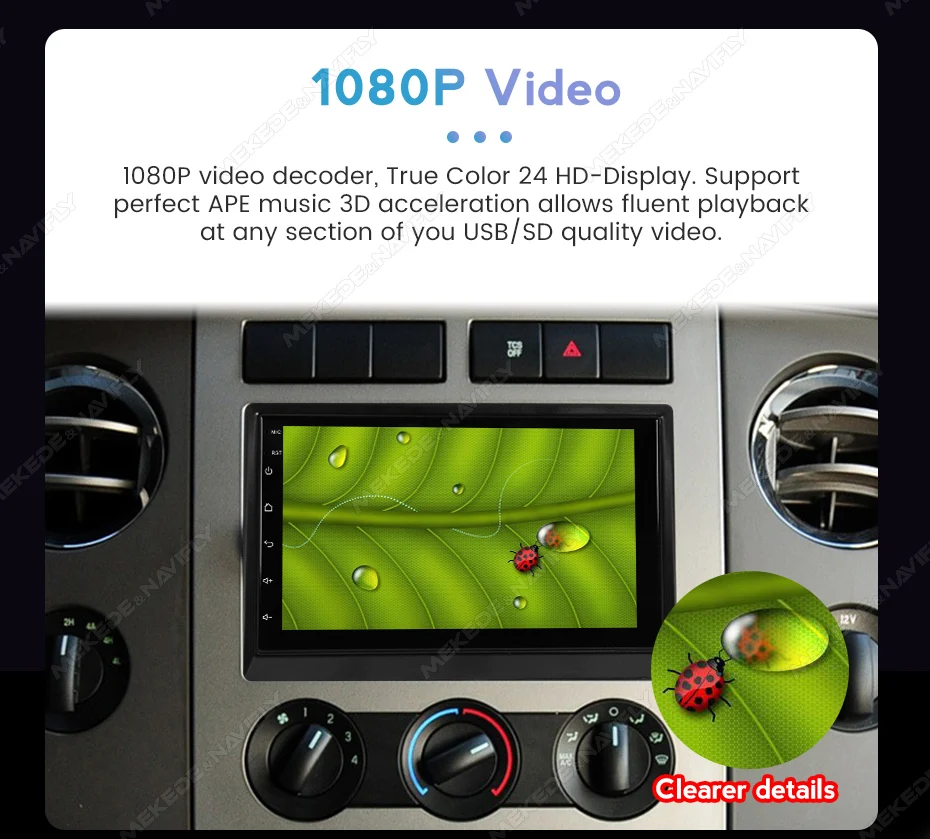
Support 1080p video decoder,ture color 24 HD-Display
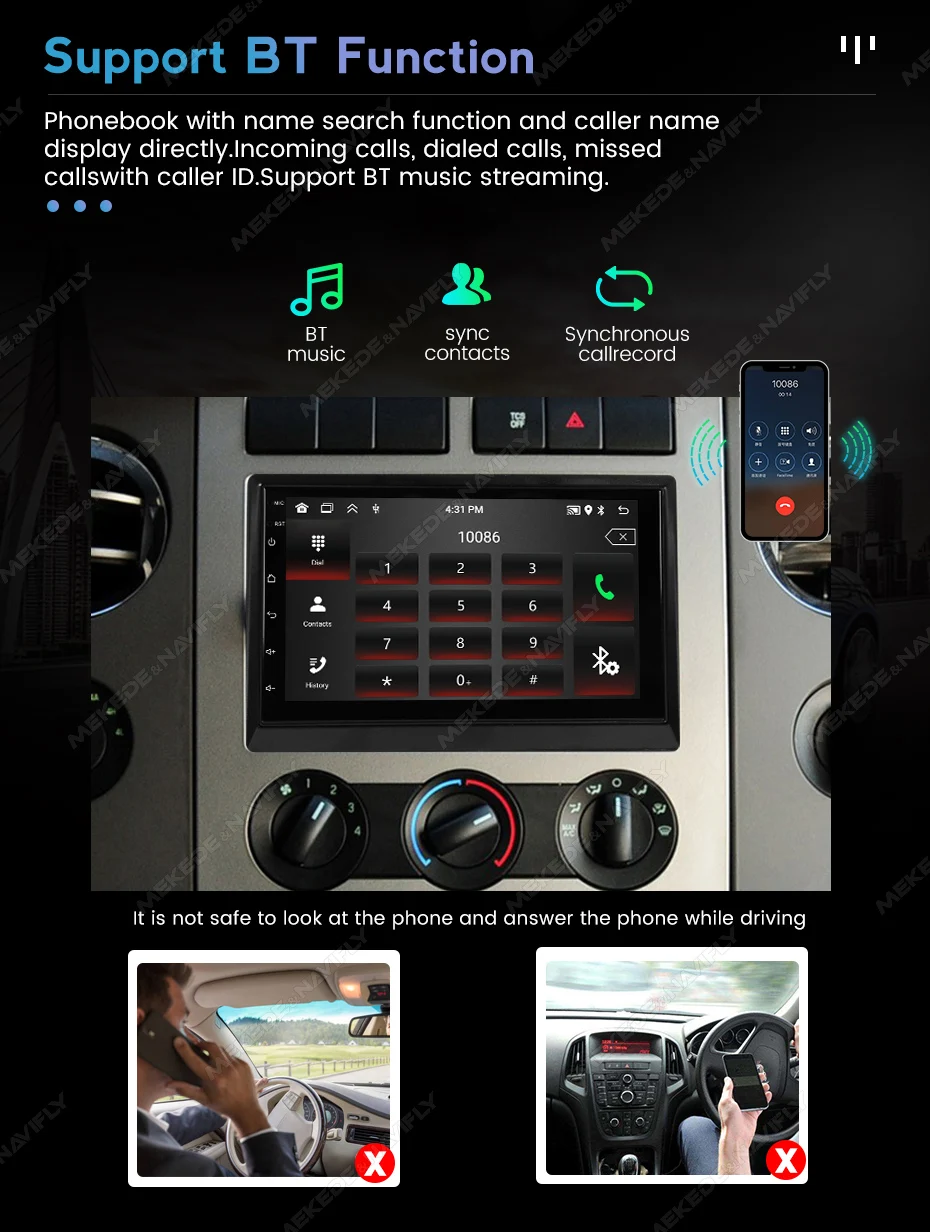
Phonebook with name search function and caller name display directly.Incoming calls, dialed calls, missed calls with caller ID.Support BT music streaming.
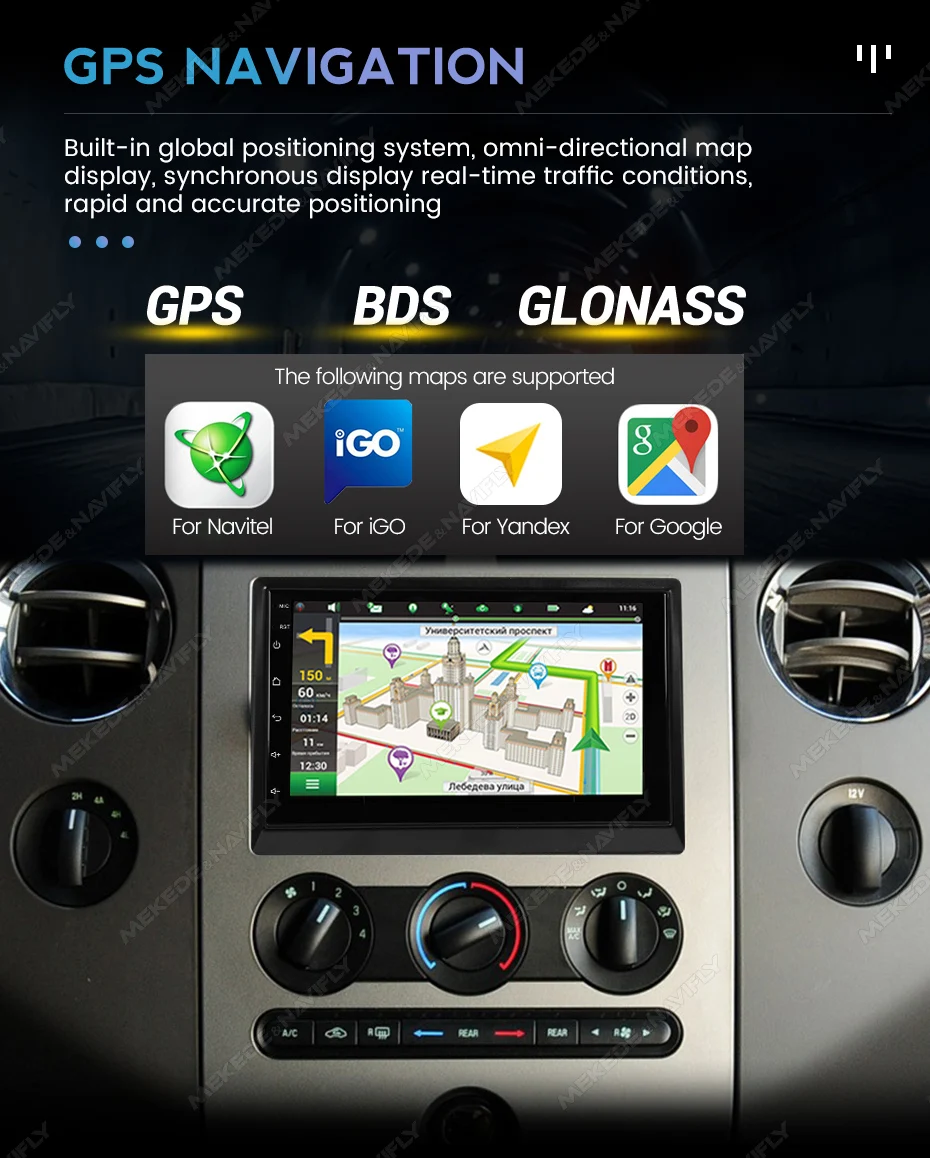
Maps are pre-installed and free permanent updates are provided
 support multiple languages
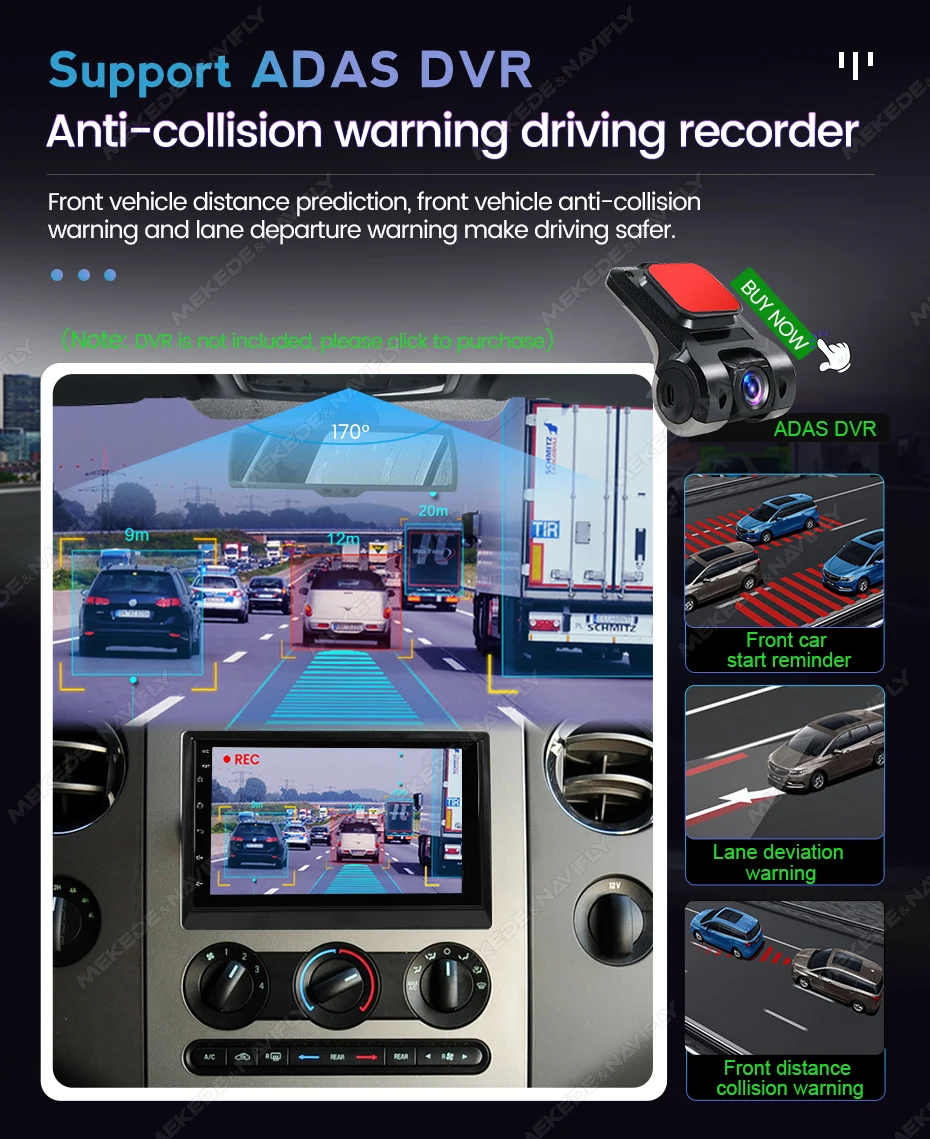
During the driving process, it is found that the car is too close tothe front car or the car will deviate from the lane and will emit anearly warning tone to reduce the occurrence of traffic accidents and make driving safer.
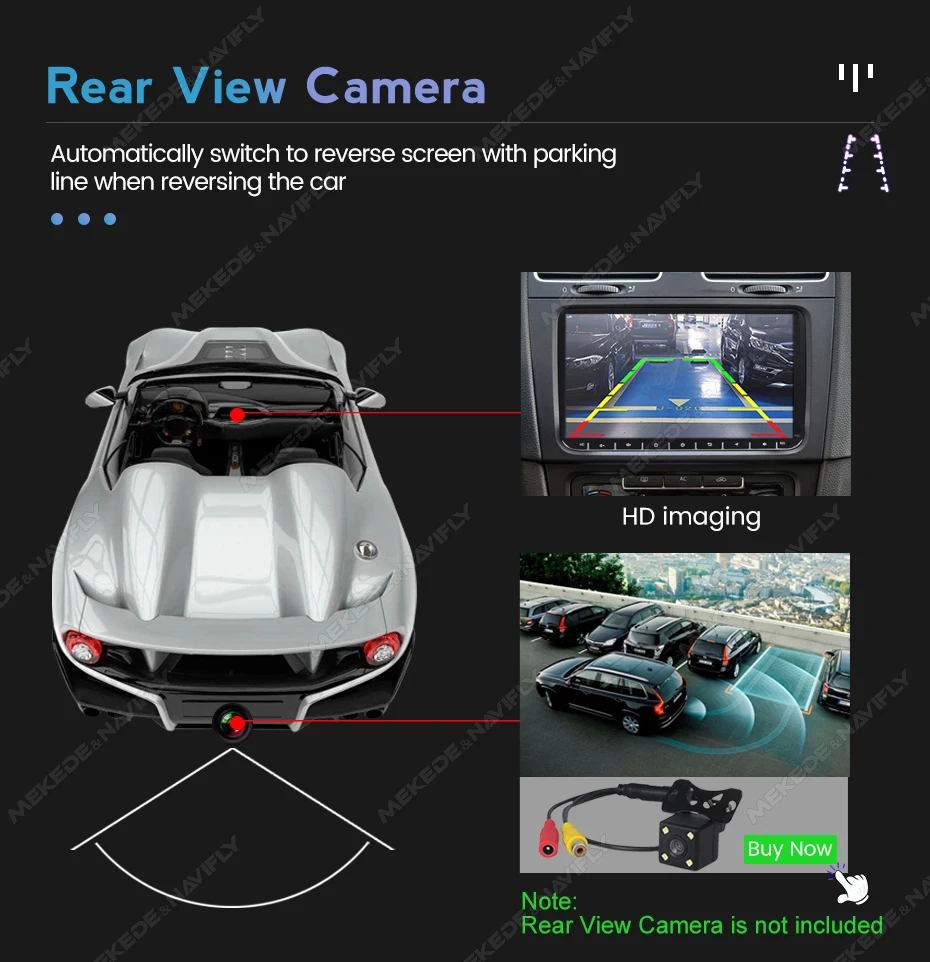
When the car in Reverse Gear, this car DVD will automatically switch to the back-up camera image view with park.
Real-time monitor vehicle,display the diagnosticvalues of various vehicle. (Database has more than3000 code definitions)(Need t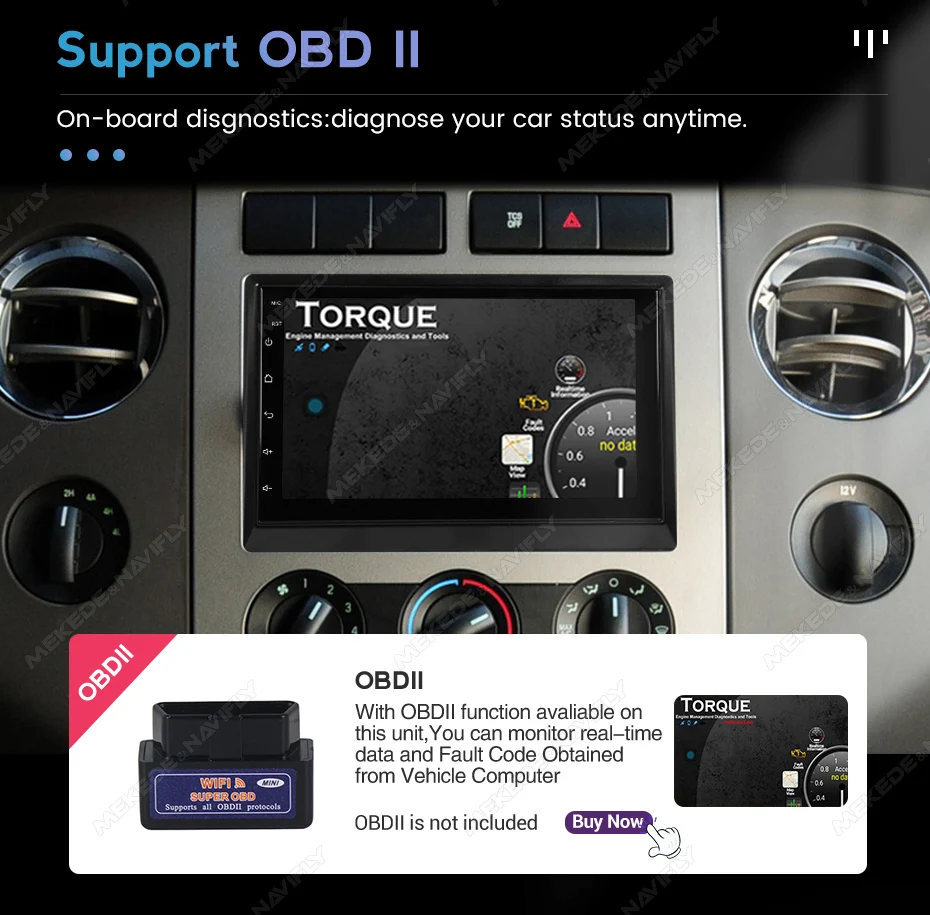 o buy separately)
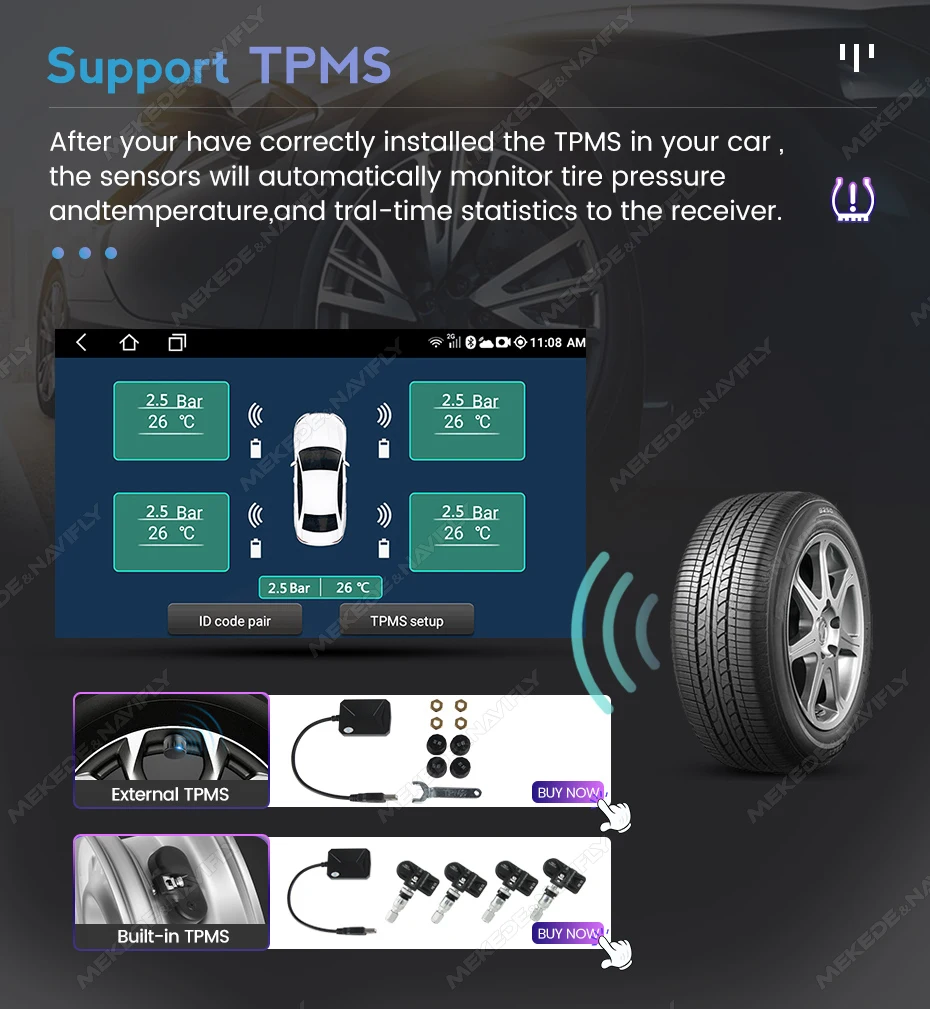
Real-time displays 4 tires' pressure and temperature, once the tirepressure or temperature limit is exceeded, alarm will be triggered
(Need to buy separately)
How to connect rear camera cable
Please do not give us bad reviews and disputes before contacting us. If there are any problems with the product, please contact us first, we will help you solve the problem with 5-star service!
FAQ
1. Why can't the car radio turn on?
① Check the car radio voltage: 12V
② When testing this car radio, you can combine the red and yellow wires and connect them to the positive side of the power supply. Black line to negative power supply.
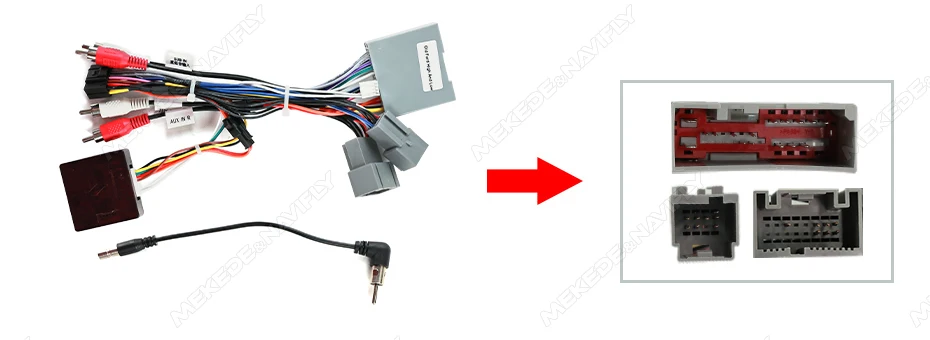
③ replaces the same type of insurance to test the car radio.Note: You need to use our power cables to connect our car radio, it is not possible to insert the original car plug directly into our machine.
2. Why does the car radio show "no signal" when reversing?
Please check if the camera line is properly connected to the car radio.Note: the video port of the rear camera must insert the "CAMIN" port of the car radio.
3. Why does the camera show "!" and "I can't see video while driving" when using USB to watch videos?
Please turn off the "video warning" function in settings, then it will be ok.
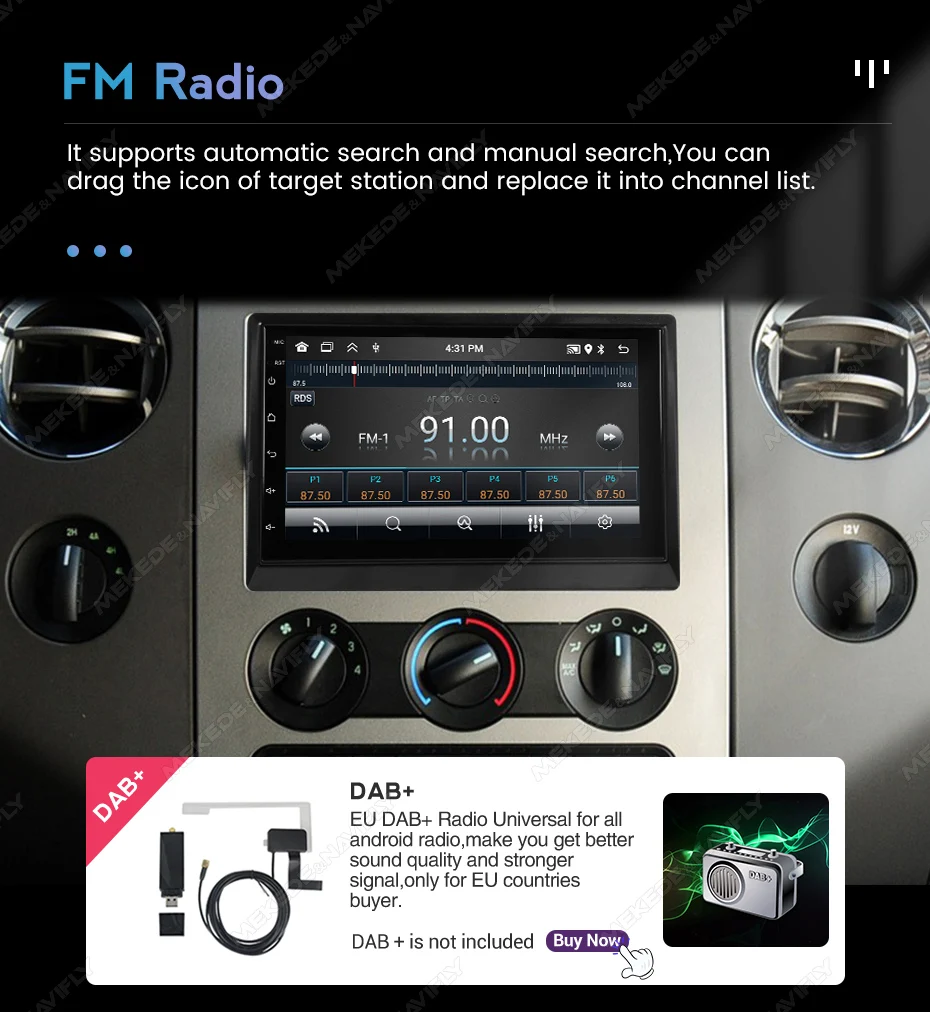
4. Why can't I search for FM?
① no radio antenna inserted;
② Please check if the radio antenna is plugged in. Insert more antennas several times so that it is well contacted.
③ the signal of your location is not good. Head to a better place to try again.
④ The car radio antenna is broken / no effect; Replace the radio antenna and test again.
5. Why can't you connect the Bluetooth of the car radio?
① Open the phone settings interface, open the Bluetooth into the Bluetooth function, search for Bluetooth devices, find the Bluetooth model of the player to pair; If you need a pairing code, enter 0000; if not, try 1234 or 123456.
② Please try to use another mobile phone to test this function.All the methods are correct and still can't use the Bluetooth. Unplug the plug from the back of the player and plug it in after 3 minutes.

NOT SURE ABOUT FITMENT? Contact us with your vehicle year and variant before ordering.
SHIPPING & DELIVERY
SHIPPING & DELIVERY
This product is made to order. Estimated delivery is approximately 4–6 weeks.
Tracking information will be provided once your order has been dispatched, where available. Delivery times are estimates and may vary due to manufacturing, international freight or customs delays.
WHAT'S INCLUDED
WHAT'S INCLUDED
- Front bumper components
- Front grille
- Bonnet / hood
- Fender / guard components
- Exterior body panels
- Lighting components where specified
- Underbody / protection components where specified
- Mounting hardware where supplied
INSTALLATION & WARRANTY
INSTALLATION & WARRANTY
Professional installation is recommended. Body modifications, painting, wiring, alignment and adjustment may be required depending on the vehicle and kit configuration.
Warranty coverage varies by product and manufacturer. Damage caused by incorrect installation, misuse or modification may not be covered. Your rights under applicable New Zealand consumer law are not affected.